
ANPR Edge · Workflows
Change who gets through without waiting for a developer
Build access rules in plain language: when a resident arrives, check the approved list and open the barrier. Test and activate each rule independently while the rest of the location keeps running.
Choose what starts the rule and what happens next
Turn your access policy into a working gate rule
Something happens, you ask a question about it, and something follows. Most gate rules are exactly that long.
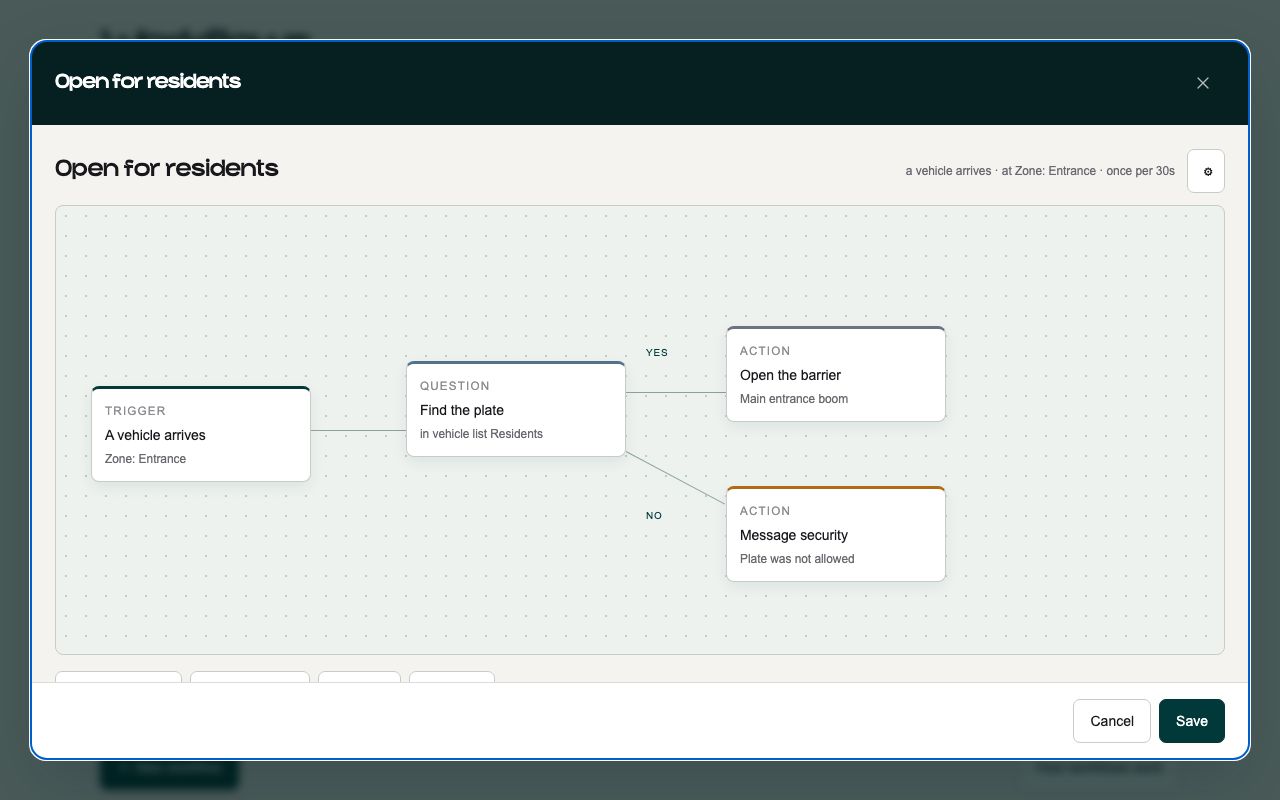
Choose what starts the rule
A car is seen, a car arrives, or a car leaves. Arriving and leaving are worked out per car rather than per camera - on a forecourt one car is pulling in while another pulls out, and the same camera is watching both.
Decide who should be allowed
Is the plate on the residents list? Is the plate from Saudi Arabia? Has this vehicle been here more than four times in fourteen days? You can see exactly what happens when the answer is yes or no.
Choose what happens next
Open a barrier, check the plate against a list, ask another system and wait for its answer, or simply write the visit down. A rule that only writes it down is still worth having - at a car wash or a fuel station that is the entire job.
Change access rules without disrupting your location
Gate logic gets edited in the middle of a working afternoon. Everything here is built around that being ordinary rather than an incident.
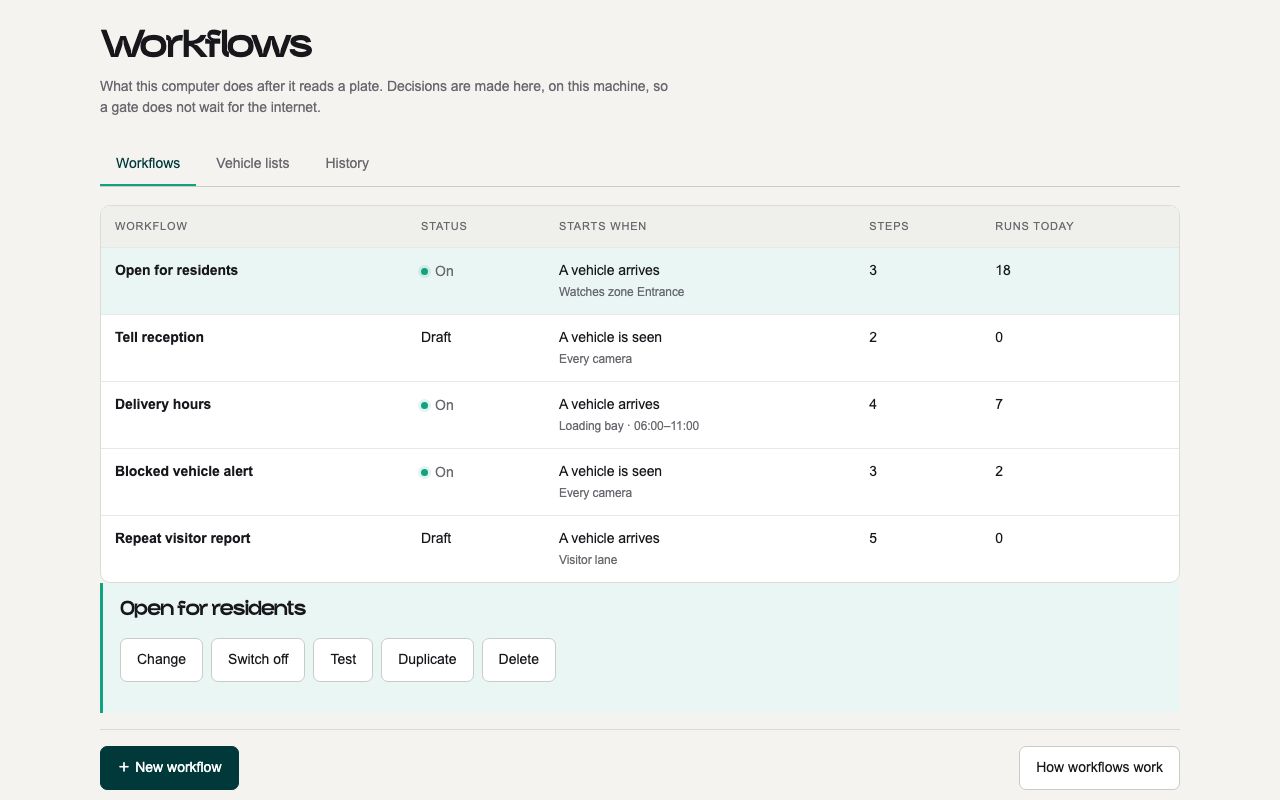
Edit it yourself
The person who runs the gate is the person who changes how it behaves. No scripting, no config file to redeploy, no ticket to us.
Start from a template
The screen opens on a choice rather than a blank page. Every template arrives as a draft with its barrier and list left unchosen - the things a template cannot know.
Draft, active or off - per rule
Turning one workflow off at three in the morning does not touch the four that are working. Activating one tells you exactly what is still unfilled.
See why every decision was made
Which rule fired, which branch it took, how long each step took and what it decided - kept on the machine that decided it.
One failed action does not bring down the lane
The rule runs in the moment between the camera reading the plate and the barrier opening, with a car waiting in front of it. That leaves very little time, so there are things a rule is not allowed to do. The builder blocks them when you save it - you find out at your desk, not at the gate.
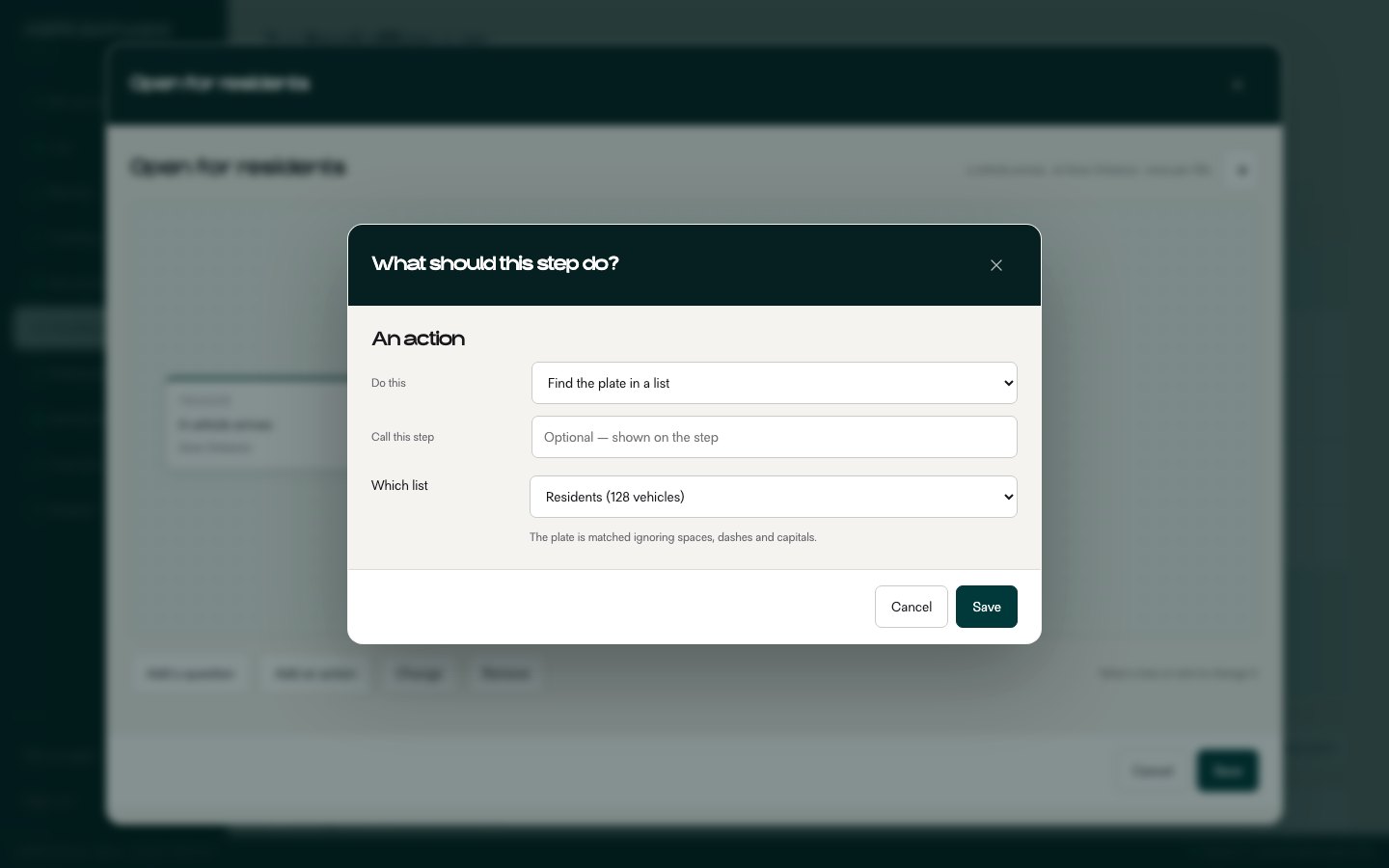
The answer is already on the machine
Checking a plate against your residents list happens on the PC at the gate, in about a tenth of a second. Sending that question out to the internet and waiting for a reply would take seconds, and the driver would feel every one of them.
The gate never waits on an email
Messages go out after the barrier has already moved, never before it. If you build a rule that would make a car wait for an email to send, the builder will not let you save it.
A rule that breaks does not take the camera with it
If a rule is set up wrong, the disk fills up or the barrier stops answering, you lose that one run of that one rule. The plate is still read and still written down, so you can see what happened and why.
Alert the right person when attention is needed
Not every rule should open something or count something. Some should just tell a person - and which person, on what condition, in what words, is a decision you make rather than one we make for you.
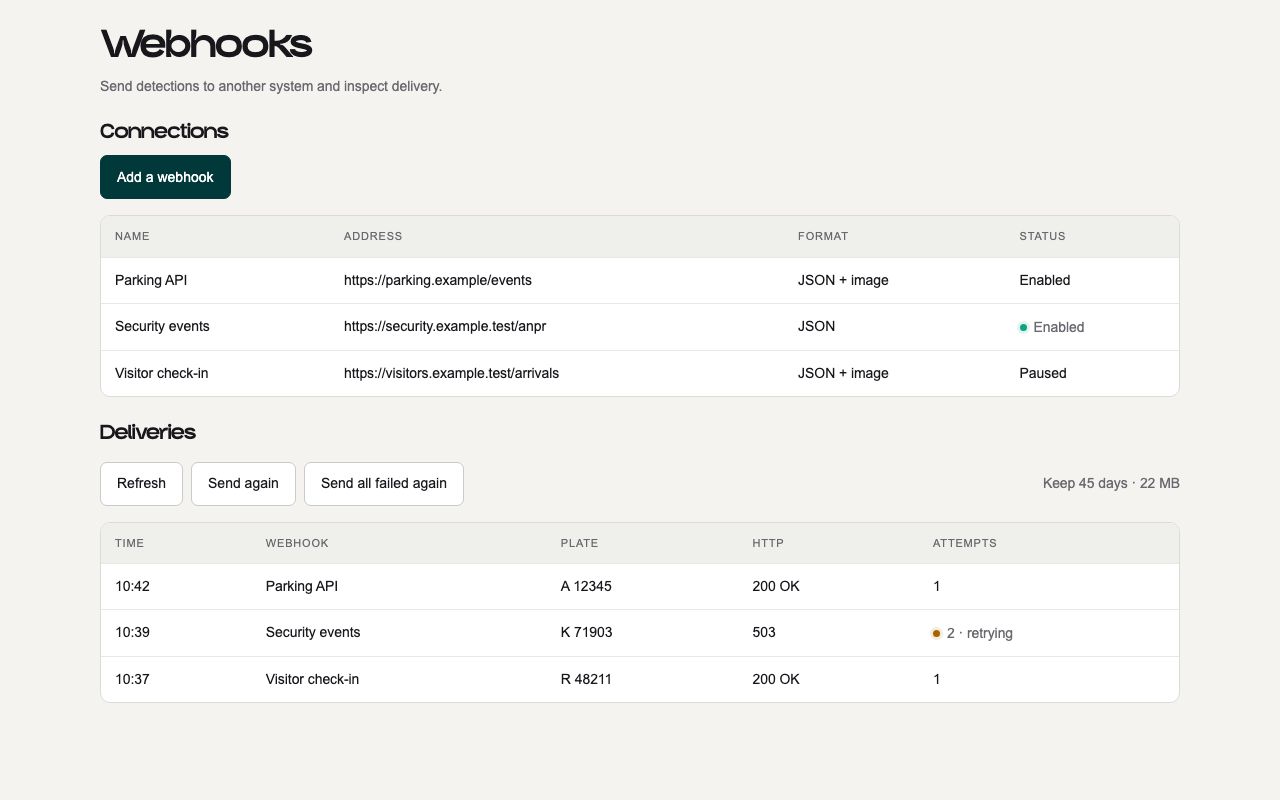
Email, Telegram, or your own system
Mail the building manager, post to your team’s Telegram group, or send a request straight to a system you run. The plate, the camera and the time are written into the message from the same fields a condition can read.
Telling somebody never slows the gate
Opening the barrier happens on your own network in a fraction of a second. An email or a Telegram has to cross the internet, which can take several. So the rule hands the message over and carries on - the car is already moving while the message is still on its way.
A message that fails is tried again, then left alone
A message that does not go through is tried again after thirty seconds, then five minutes, then half an hour. Four attempts, then it stops and is recorded as failed. A mailbox that is down for a week does not turn into a week of retries.
No passwords sitting on a PC in a car park
Email and Telegram are sent through us rather than from the machine at the gate, so no Google or Telegram password is ever stored on a computer sitting in a car park. Messages to your own system go straight out from your location, because your system is usually on the same network anyway.
Run every gate locally and monitor every branch centrally
The same software at each location reads your cameras, runs your access rules and reports status to your dashboard.
Finds your cameras
Plug the PC into the same switch as your cameras and it finds them by itself. Most IP cameras work straight away; Hikvision and Dahua are handled directly.
Focuses on the lane, not background movement
Draw a polygon in the frame. Recognition runs when something changes inside it, at an interval you set.
In our cloud or on your PC
Start free with plates read in our cloud from your wallet, or buy an ANPR Edge license and read plates on the PC at your location with no per-read cost. A fully air-gapped deployment is available on request.
Monitor every branch without changing a live gate
Every location reports what it is running to your dashboard, so you can check forty gates from one screen - and nobody can stop a gate working by clicking the wrong thing in a browser.
Tell us who should get through
If it comes out as one sentence with a question in the middle, it is already a workflow. Tell us the sentence and we will tell you what it needs.
- Access rules your operator can change without a developer
- Draft, test and arm each workflow on its own
- Local decisions that keep working through an internet outage
Talk to someone who has wired one
Tell us what cameras and barriers you run, and what should happen when a plate is read. You will get a straight answer about whether the edge build or the cloud API fits - including when the answer is neither.
Or read the camera connection guide first - it covers most of what a first install runs into.