
Free to try · no signup
Replace the plate with your logo
Upload a car photo and your logo. We’ll place your logo over the license plate. Preview the result, then download it for your listing or social post.
Add your photos
Drop a car photo here, or choose a file
Clear front or rear photo · JPEG or PNG · up to 10 MB
Or try a sample car photo:
Drop your logo here, or choose a file
A transparent PNG works best
Full gives the strongest coverage. Lower settings let the original plate show through.
Result
Your result appears here
Add a car photo and a logo, then select “Add logo to plate”. You can also preview an example below.
Free, no account needed. Up to 5 edits/minute and 10/day per internet connection, shared across site demos. Images are sent to our servers for editing.
- Finds the plate for you
- Fits your logo to the plate
- Download the edited photo
Real examples
See the before and after
See how the tool replaces each plate with a logo. These are real results, with no extra editing.
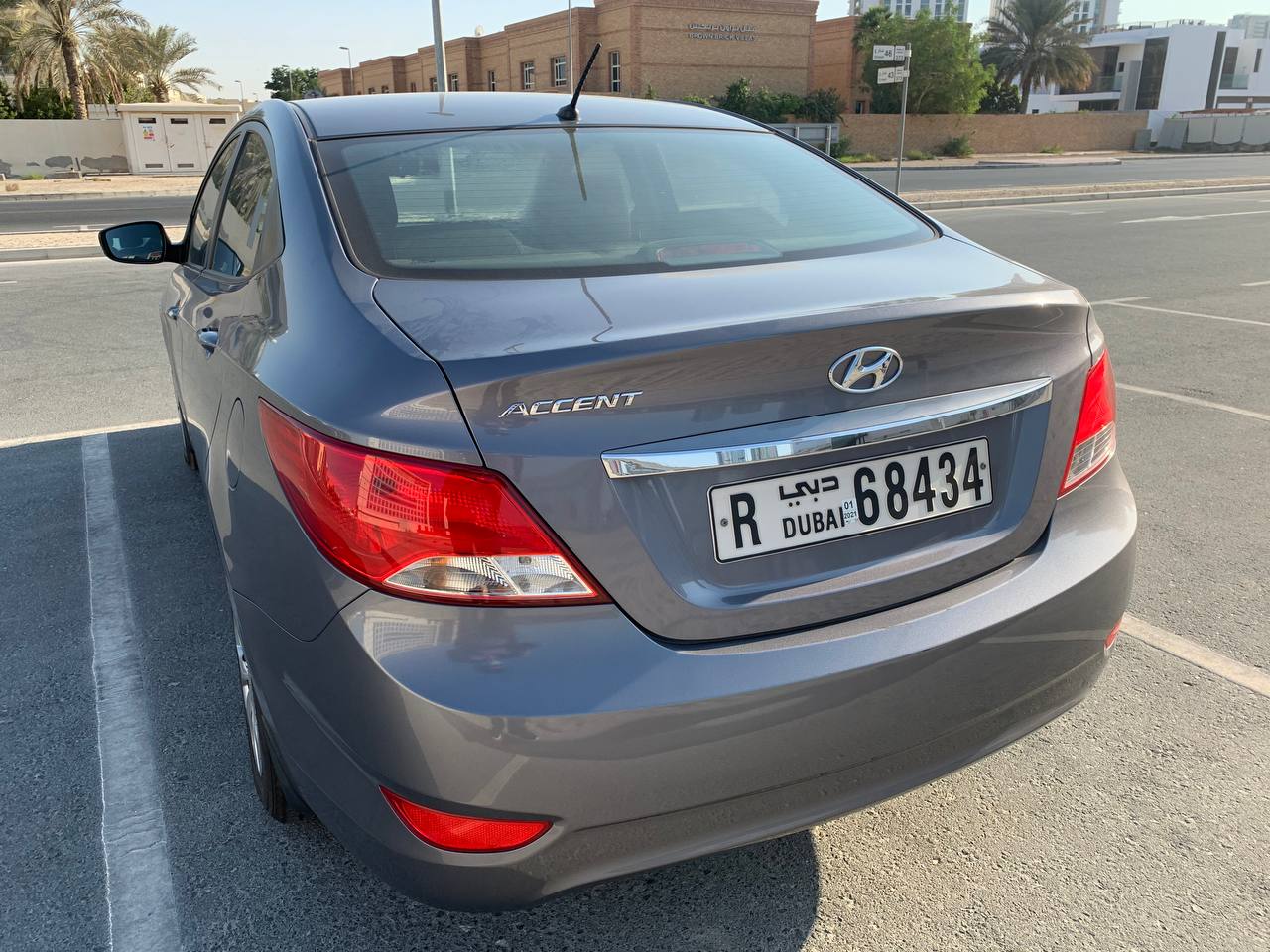
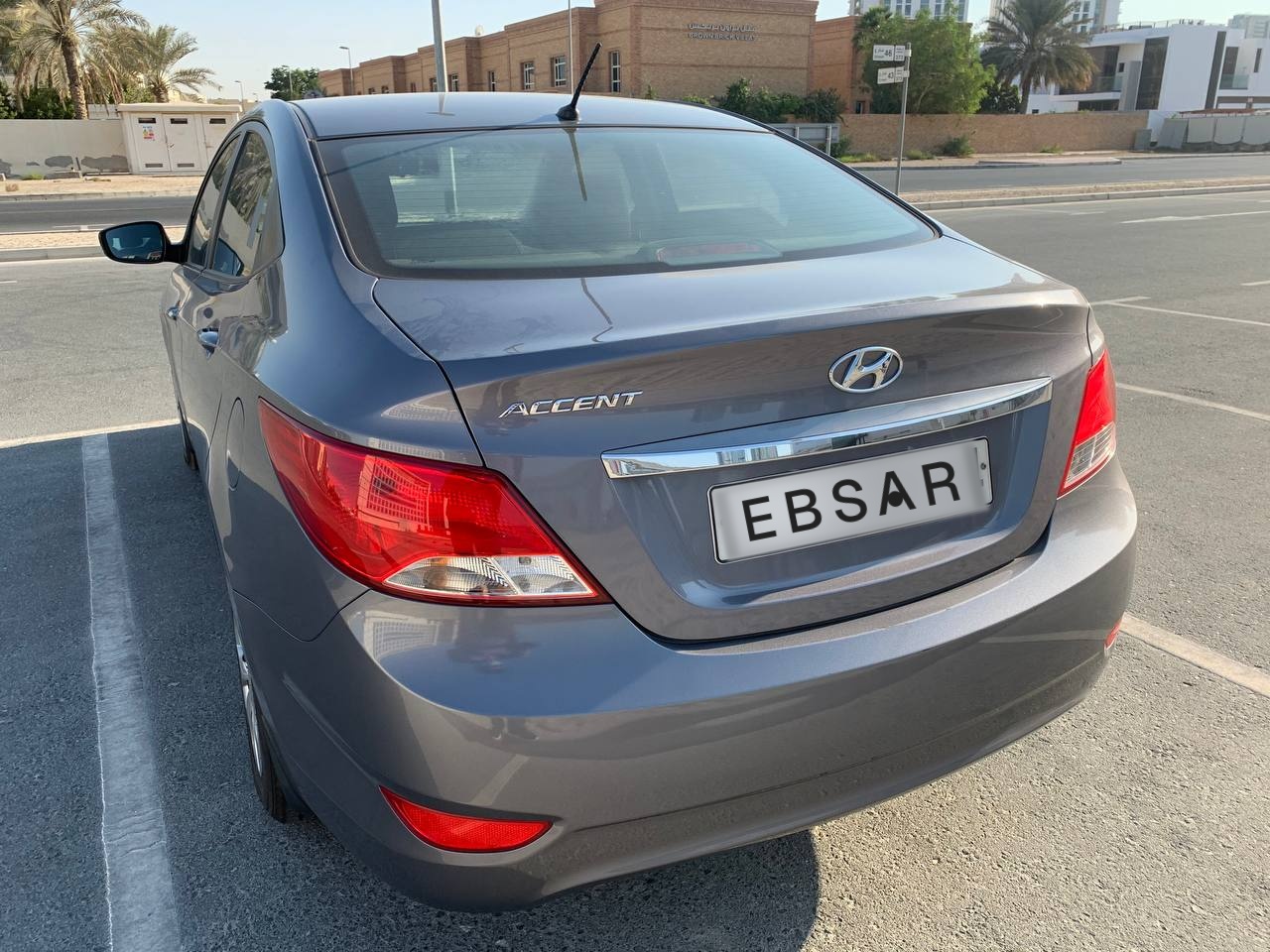
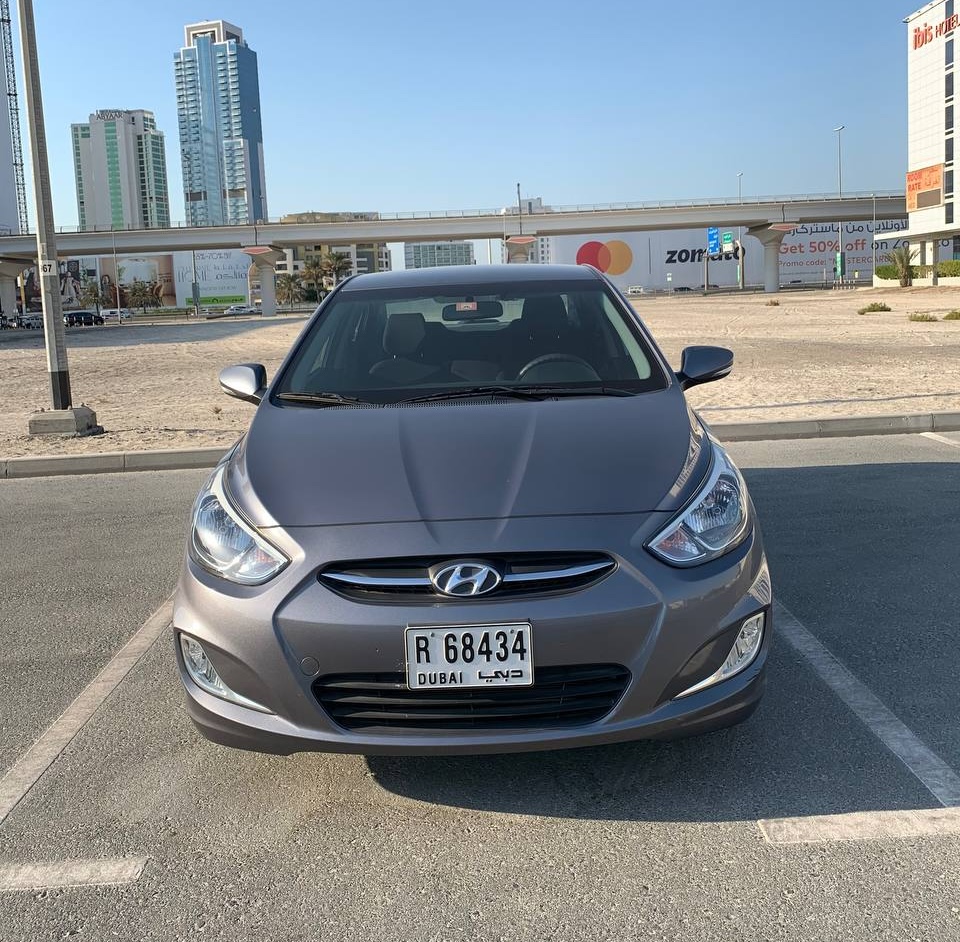
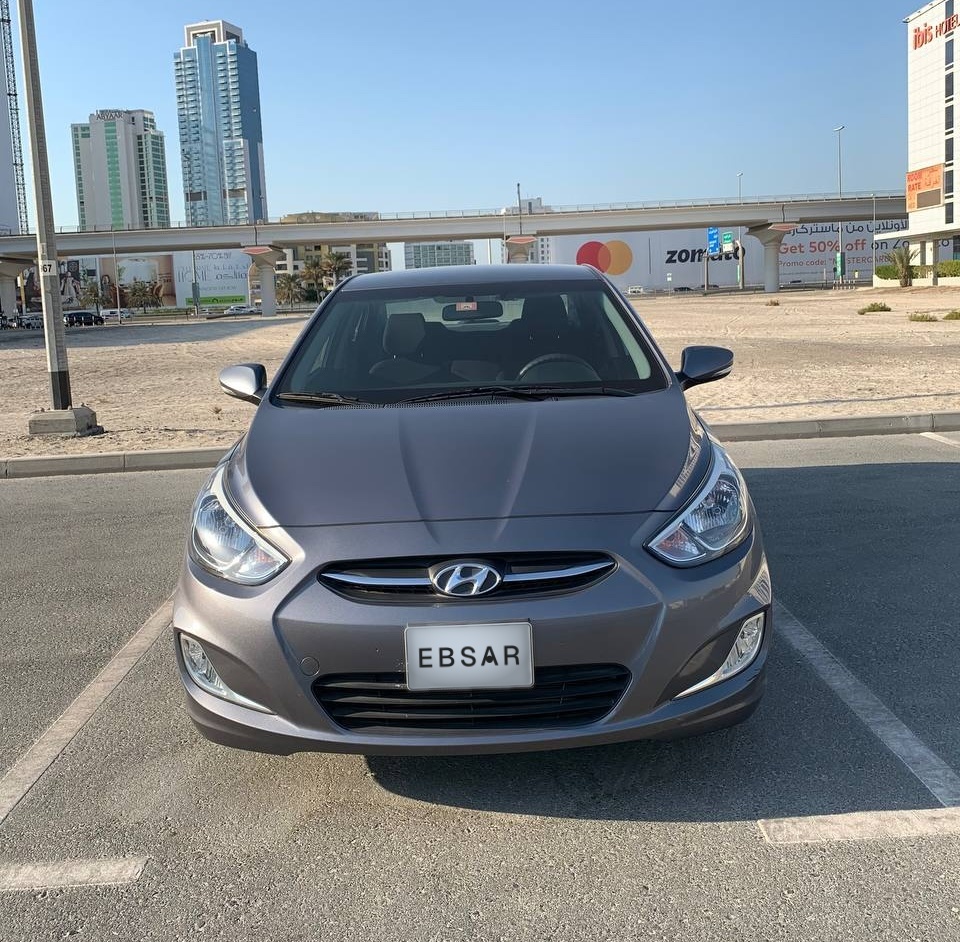
Full photos show how the logo fits into the original image.
Made to look natural
- Matches the plate’s colour and lighting
- The background uses the plate’s colour and lighting to help your logo fit the photo.
- Fits the plate’s angle
- Your logo is resized and tilted to fit the plate. A clear front or rear photo works best.
- Choose how much to cover
- Use Full to cover the plate as much as possible. Lower settings let some of the original plate show through.
How it works
Three steps, a few seconds. No account, no watermark.
- 1
Upload a car photo
Choose a front or rear photo with a clearly visible plate. JPEG or PNG, up to 10 MB.
- 2
Add your logo
Upload your logo. A PNG with a transparent background works best, especially a wide logo.
- 3
Preview and download
Check the edited photo, then download it for your listing, website or social media.
For listings, ads and social media
Car dealers
Add your dealership logo to car listing photos without editing each plate by hand.
Car sellers
Cover the plate number with your logo before sharing a photo online. Check the result before publishing.
Rental companies and marketers
Add your logo to car photos for rental listings, adverts and social media posts.
For websites and apps
Need to edit more photos?
A developer can connect this tool to your website or app using our API. It edits one photo per request, so you can automate a larger set of car photos.
- Send a car photo and your logo.
- Get back an edited JPEG.
- Each photo uses one credit from your account.
This page edits one photo at a time. Uploading a group of photos is not supported here.
curl -X POST \
  "https://api.anpr.software/v1/plate-logo?opacity=0.95" \
  -H "Authorization: Bearer $ANPR_API_KEY" \
  -F "[email protected]" \
  -F "[email protected]" \
  --output branded.jpg
Simple pricing
Try this page for free. The plans below are for using the tool through our API.
100 photos a month, free
Create a free account for API access. No credit card needed. This page also works without an account, within the daily limit.
From $15 a month
3,000 credits a month on the starter plan. Each photo uses one credit. These credits also cover plate reading and vehicle detection.
Credits are shared across API tools. There is no separate subscription for this tool.
What happens to your photos
Your car photo and logo are sent to our servers for editing. The car photo and edited result are stored to help us fix problems and improve plate detection.
When you use the API with your own account, your plan sets how long request records are kept.
Want to hide the plate number?
Set the slider to Full for the strongest coverage. Lower settings can leave the original number visible. Check the edited photo before publishing, especially if hiding the number is your goal.
Frequently Asked Questions
Is this tool free?
Yes. You can try it here without an account: up to 5 edits a minute and 10 a day. These limits are shared across all site demos and people on the same internet connection. A free account includes 100 credits a month for API use, with no credit card needed.
Which photos and logos work best?
Use a clear front or rear photo with one car and a visible plate. Choose a JPEG or PNG up to 10 MB. For your logo, a wide PNG with a transparent background works best.
Why does it say no plate was detected?
The plate may be too small, blurry, hidden or viewed from the side. Try a clearer front or rear photo with the whole plate visible.
Can I upload several photos at once?
This page handles one photo at a time. To automate more photos, a developer can use our API to connect the tool to your website or app. Each photo uses one credit, and your plan sets how many requests you can send per minute.
Can it edit several plates in one photo?
The tool replaces one plate per photo. If several plates are visible, it chooses the one it detects most clearly. Crop the photo to one car for a more predictable result.
Will this hide the plate number?
Use Full for the strongest coverage. Lower settings let the original plate show through. Always check the finished photo to make sure the number is hidden before sharing it.
What happens to my uploaded photos?
Your car photo and logo are sent to our servers for editing. The car photo and edited result are stored to help us fix problems and improve plate detection. For API requests made through your account, your plan sets how long request records are kept.
Need more photos with your logo?
A free account includes 100 credits a month for API use. A developer can connect it to your website or app to edit more car photos.